# The anybill SDK
The anybill SDK enables the integration of the digital receipts into frontend applications.
Currently anybill supports [Android](./android_integration), [iOS](./ios_integration), [Flutter](./flutter_integration), [React Native (Preview)](./react_native_integration) and [Web](./web_integration) integrations.
Mobile SDKs are available in native Kotlin and Swift aswell as hybrid Flutter and React Native.
> **Integrating with an AI coding agent?** anybill provides machine-readable
> documentation and a ready-to-use `AGENTS.md` file. See
> [AI-Assisted Integration](./ai_assisted_integration.md).
## Authentication
The anybill SDK supports the usage of your own user system by linking your users with an anybill account. Internally anybill always stores both an `anybillUserId` and an `externalId` for every user - the two flows below only differ in *how* that user record is created.
### Implicit user creation via `externalId` (recommended)
If you do not want to persist an additional anybill user id in your system, simply pass an identifier from your own system (for example a customer number, card number or user id) as `externalId` when your backend requests the SDK token from the Partner Platform API. The anybill user is created on the **first receipt** that is sent with that `externalId` through the [Vendor API](https://developer.anybill.de/vendor_api/api_vendor.html#user-identification). The token endpoint itself does not create a user; it returns HTTP 404 until a matching user exists.
::: tip Activation required
This flow has to be enabled per tenant on the anybill side. If `POST /v3/user/token` with `externalId` keeps returning 404 even after receipts with that id have been sent, please contact `dev@anybill.de` so we can enable the feature for your account.
:::
### Explicit user creation (linked user account)
If you prefer to manage the anybill user life cycle explicitly you can create an anybill user via the Partner Platform API (`POST /v3/user`), store the returned `anybillUserId` alongside your own user record, and request access tokens based on that id. This is the "classic" flow; the SDK behaviour is identical to the `externalId` variant.
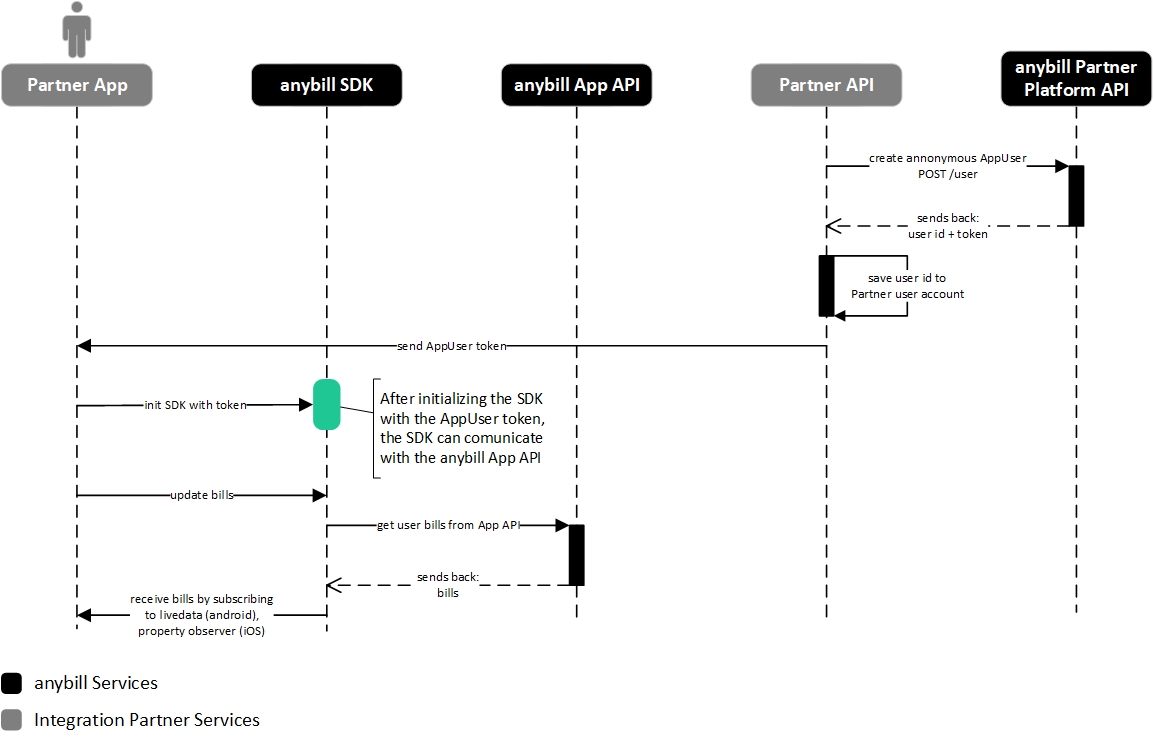
#### Flow: init the SDK with a linked user token
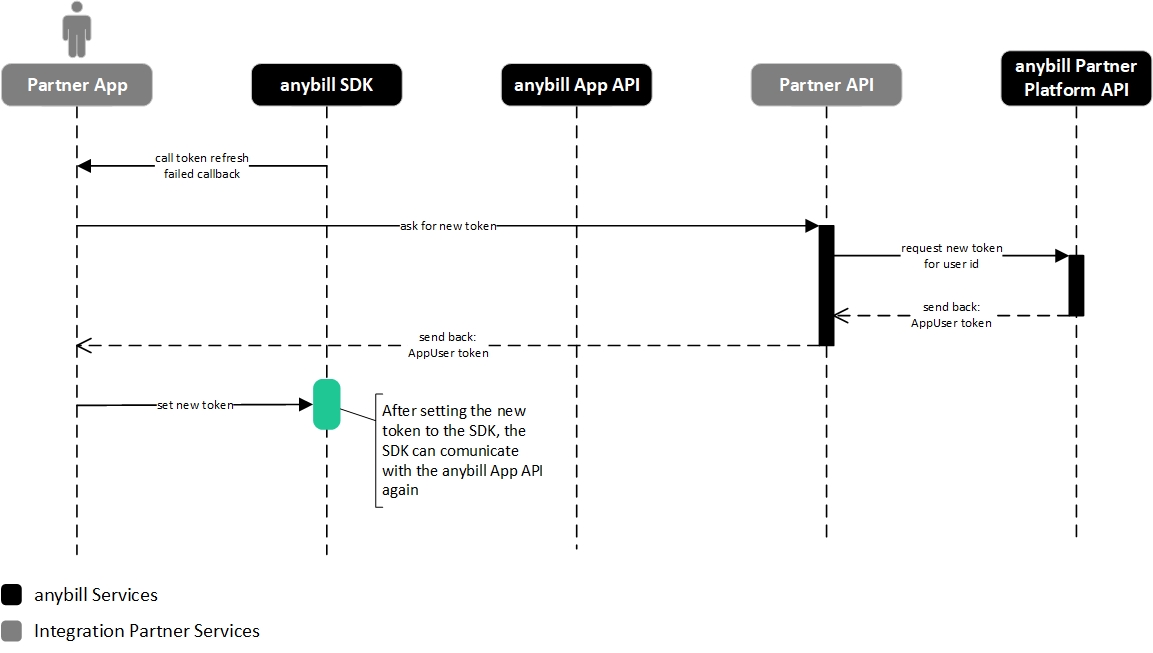
#### Flow: set a new token to the SDK after refreshing the previous token failed in the SDK





 #### Flow: set a new token to the SDK after refreshing the previous token failed in the SDK